Upgrading to a New Version
Using the Admin Center
Generally, the Connector app can be upgraded within your Business Central Admin Center.
Without Admin Center access
Should access to the Admin Center not be available, the Connector app must first be uninstalled, before the app can be installed. Via the menu item "Extension management" you get to the list of your installed apps.
There, select the DMS Connector and click "Uninstall".
Do Not Delete the Extension Data
Make sure that "Delete extension data" is not checked. If this checkmark is set, all table data and facilities of this app will be deleted during uninstallation.
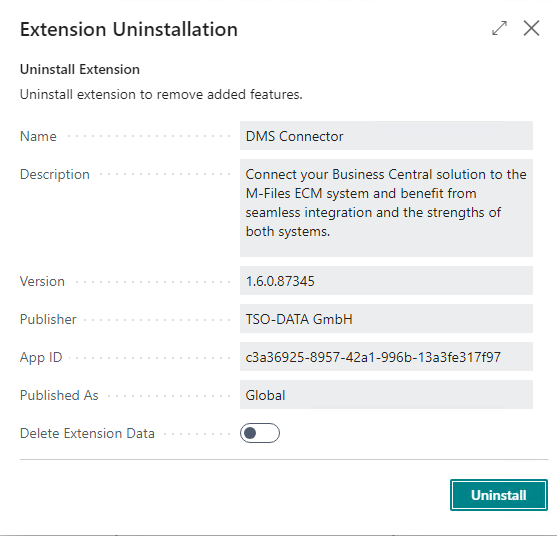
After uninstalling, the new version of the app can be re-installed via the AppSource.
Further information
Further information about upgrading an app you can find here from Microsoft.