BC Ext. Lookup Setup
The extended Business Central Lookup - data source "BC Ext. Lookup" - can be used to automatically obtain data from a third table, without a direct connection to the source table, and to write the data into the corresponding metadata. The filters must return exactly one result.
Filters can be set up in the same way for the "BC Lookup" data source. Unlike "BC Ext. Lookup", a list of results may be returned here.
Setup manual
The extended BC lookup is set up at the metadata/properties level of an M-Files class - i.e. in the Object Class Setup and Document Class Setup.
-
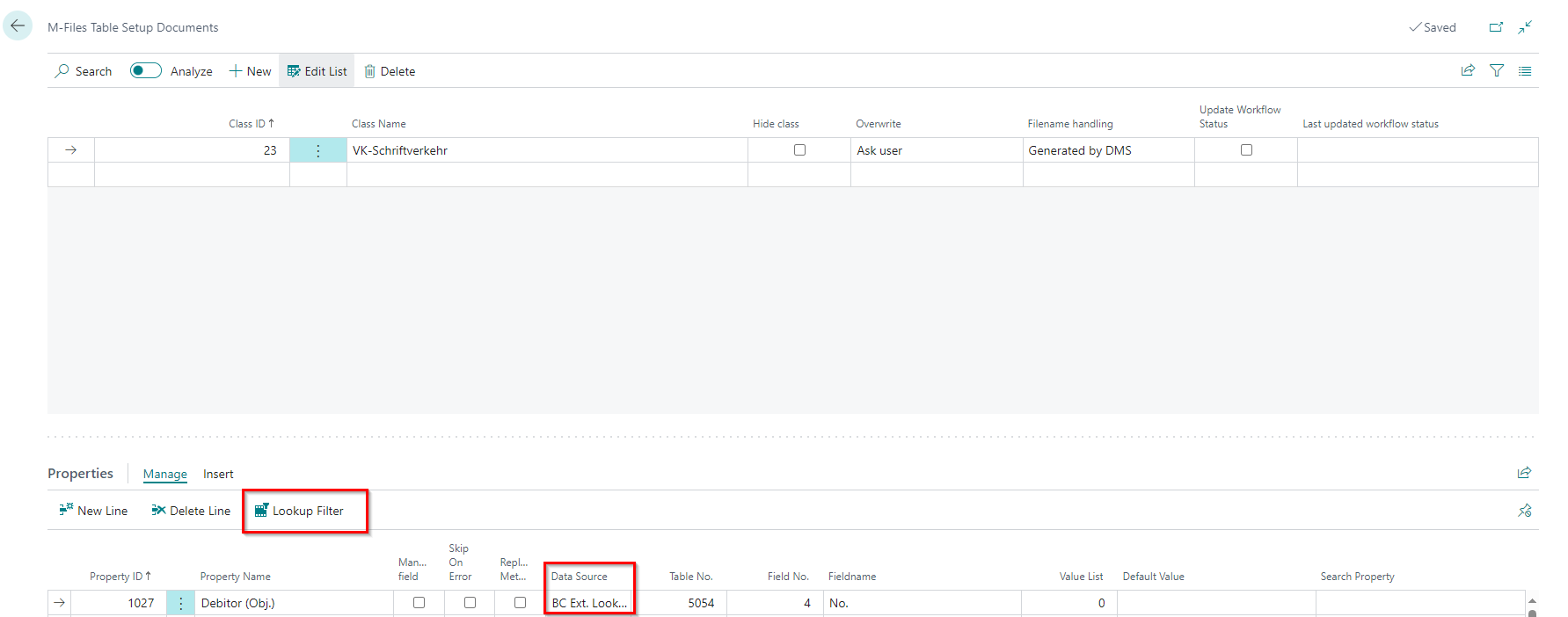
Select "BC Erw. Lookup" as the data source. The [Lookup Filter] action appears.
-
Click on the [Lookup Filter] action. The setup page for the BC Ext. Lookup Filter opens.
-
Set up the filters as desired. In Example Setups, setup examples are shown using screenshots.
Field overview
The page displays the following information:
- Metadata Name: The name of the property whose BC Erw. Lookup is currently being set up.
- Source Table No.: The number of the table selected as the source for the BC Ext. Lookup.
- Source Field No.:The number of the field that is used for filtering. You must select it.
- Source Field Name: The name of the selected source field.
- Filter type: The type of filter: Field, Filter or Metadata. Different fields are required depending on the type.
- *Target Table No.: The number of the table linked to the current table setup.
- *Target Field No.: The number of the field used for filtering. You must select it.
- Target Field Name: The name of the selected target field.
- **Filter Value: A constant value that is used for filtering.
- ***Metadata Value: The name of the property whose value is used for filtering. The remaining properties of the current M-Files class are available for selection.
Metadata value selection
All data source types except "BC Ext. Lookup" may be used for filtering.
Correctness of the filter values
The source and destination must have the same values for successful filtering. The user is responsible for the correctness of the filters set up. If the values are not correct, no results are found and the property remains empty.
* Is required for filter type "Field"
** Is required for filter type "Filter"
*** Is required for filter type "Metadata"
Example Setups
Contact "KT000008" is used as an example for filter types "Field" and "Filter". It is filtered by the Company No.
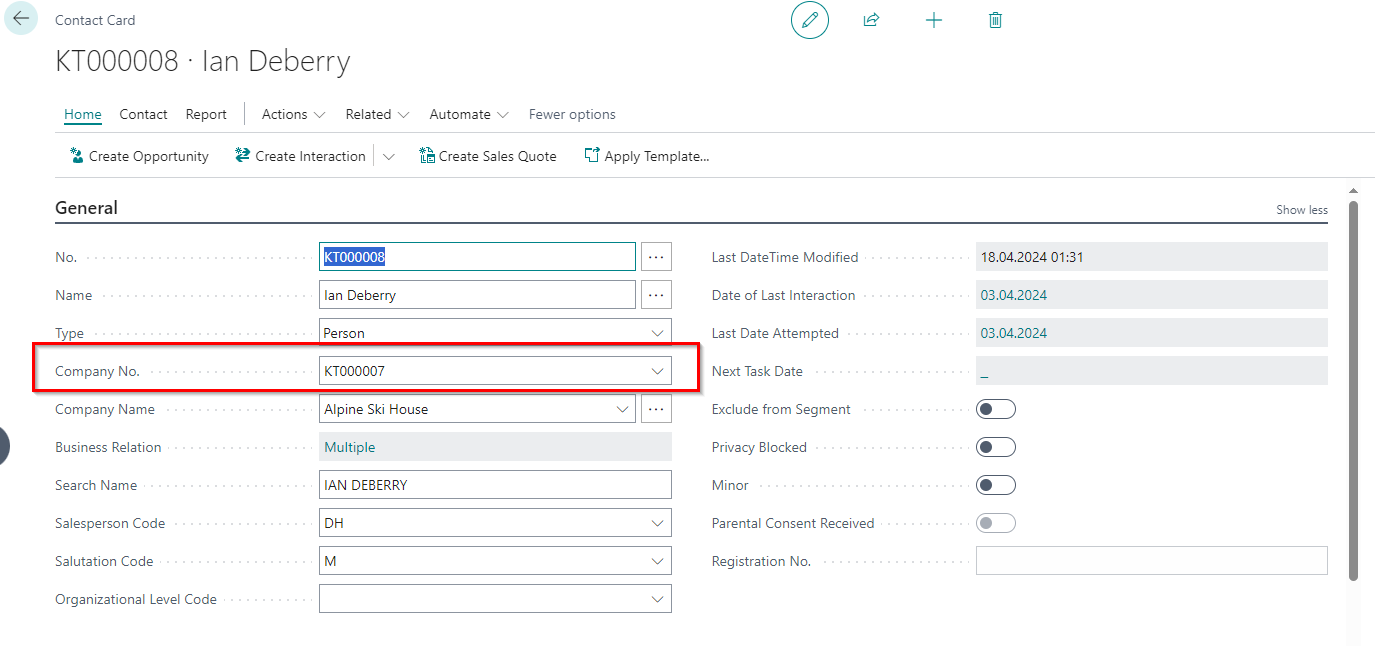
Filter type "Field"
Example scenario: A document is uploaded to contact "KT000008" via the DMS Dropform. The "Customer (Obj.)" property should contain the number of the customer that is linked to the company contact to which the contact "KT000008" belongs.

In this example, the filter type "Field" is used. The metadata "Customer (Obj.)" has the data source type "BC Ext. Lookup". The metadata is to receive the (Customer) No. (field 5) from table 5054 (Business Relationships). To do this, the Contact No. (field 1) from table 5054 is filtered by the Company No. (field 5051) from table 5050 (Contact).
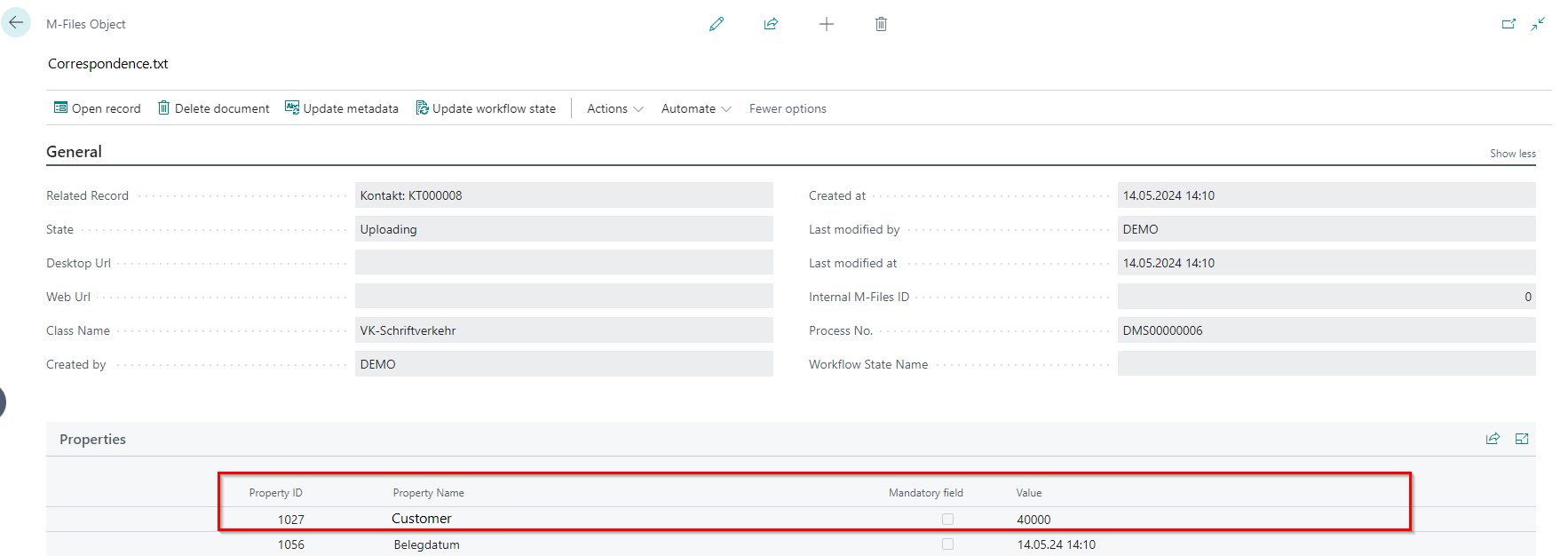
A document was uploaded to contact "KT000008" via the Dropform. The (Customer) No. was successfully assigned to the "Customer (Obj.)" property.
Filter type "Filter"
Example scenario: A document is uploaded to contact "KT000008" via the DMS Dropform. The "Customer (Obj.)" property should contain the number of the customer that is linked to the company contact "KT000007".

In this example, the filter type "Filter" is used. The metadata "Customer (Obj.)" has the data source type "BC Ext. Lookup". The metadata is to receive the (Customer) No. (field 5) from table 5054 (Business Relationships). To do this, the Contact No. (field 1) from table 5054 is filtered by the value "KT000007".
A document was uploaded to contact "KT000008" via the Dropform. The (Customer) No. was successfully assigned to the "Customer (Obj.)" property.
Filter type "Metadata"
Example scenario: A document is uploaded to contact "KT000008" via the DMS Dropform. The "Keywords" property should contain the e-mail address of the customer selected by the user in the "Customer (Obj.)" property.
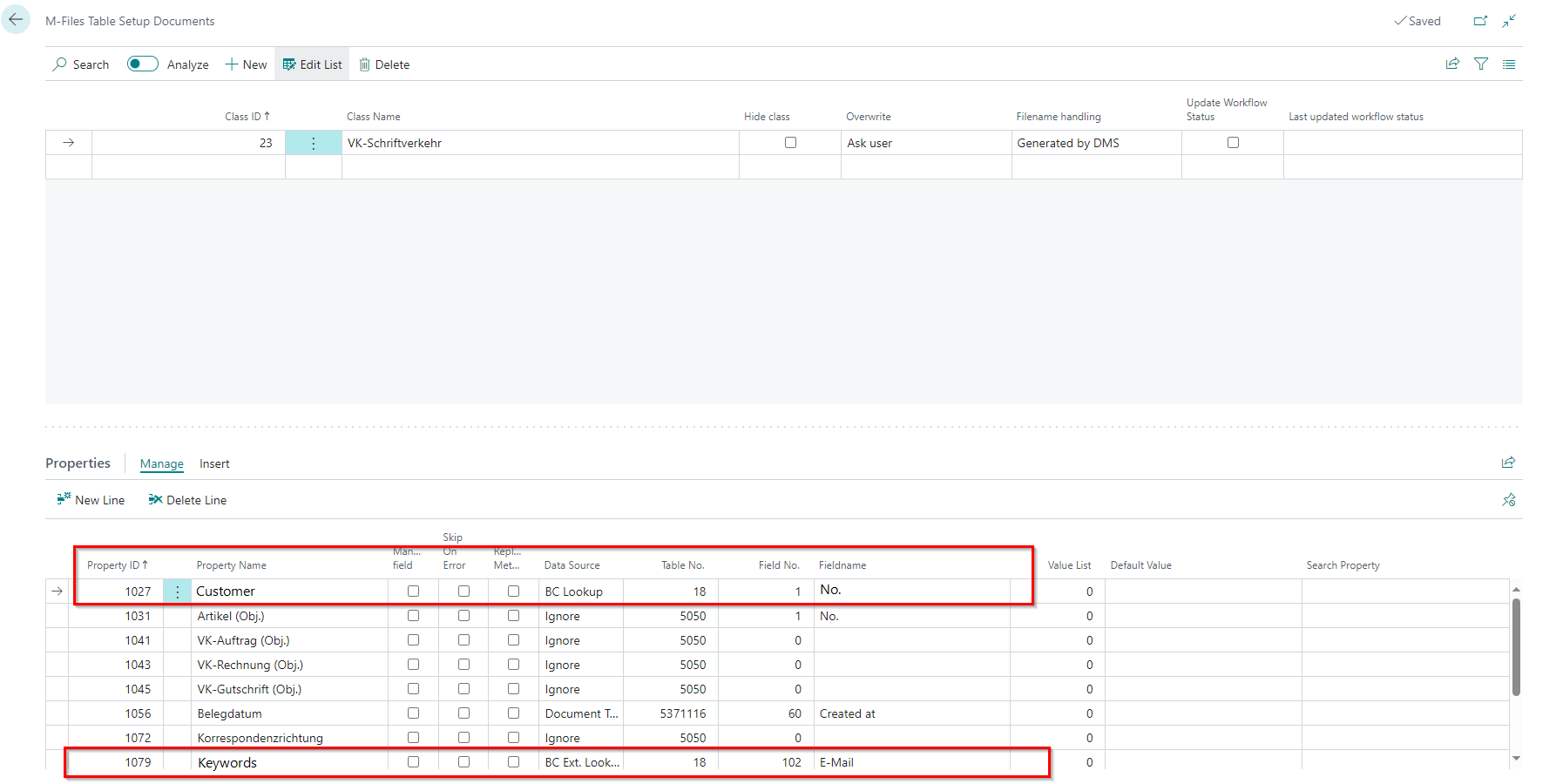
In this example, the filter type "Metadata" is used. The metadata "Customer (Obj.)" has the data source type "BC Lookup" - it must be selected manually by the user. The (Customer) No. (field 1) from table 18 (Customer) is assigned as the value.
The metadata "Keywords" has the data source type "BC Ext. Lookup". The (Customer) Email (field 102) from table 18 should be assigned as the value.

In the BC Ext. Lookup Filter, the metadata "Customer (Obj.)" is used for filtering.
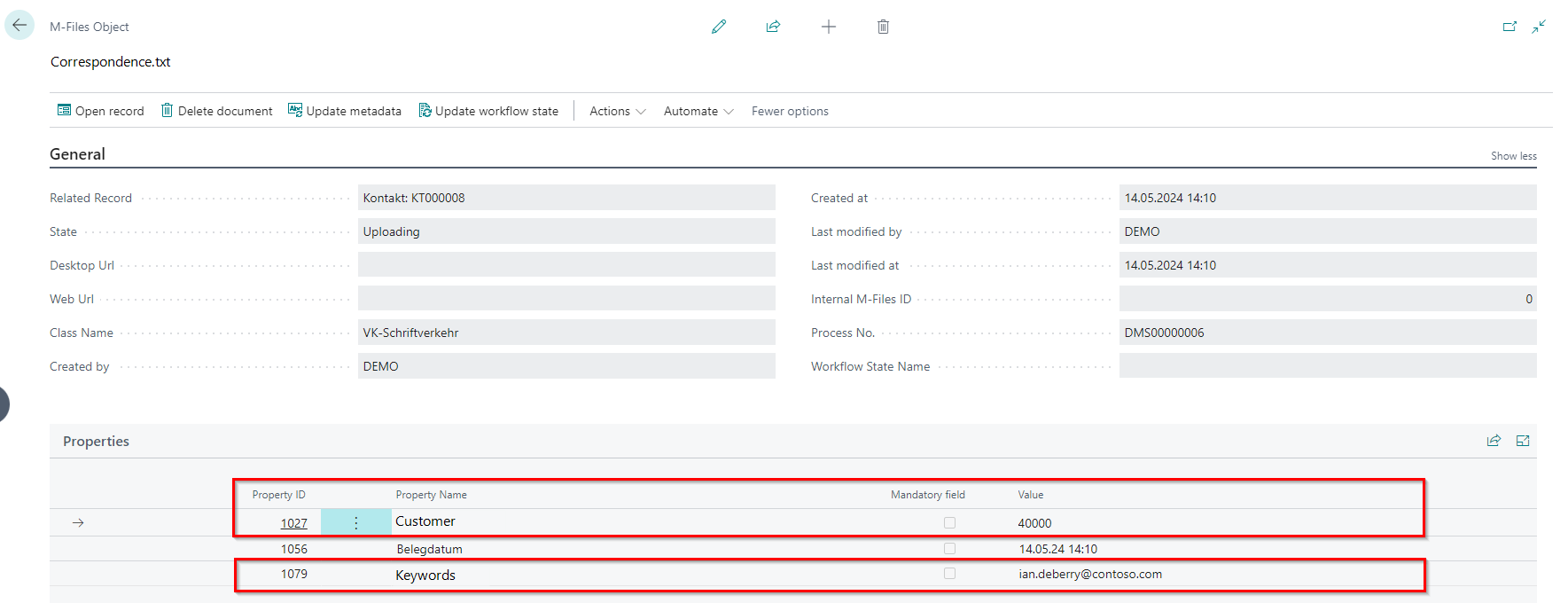
A document was uploaded to contact "KT000008" via the Dropform. The user selected the "Customer (Obj.)" property - Customer No. 40000. The "Keywords" property was then filled automatically.