Retroactive Archiving by Job Queue Entry
This feature enables the automatic archiving of documents already registered in Document Capture to SharePoint. This feature is particularly useful if you are already using Document Capture but have not yet set up archiving to SharePoint via the DMS Connector. A job queue entry allows all registered documents from a defined period to be archived to SharePoint retroactively.
The job searches Document Capture for documents with the status "Registered" that have not yet been archived to SharePoint (identifiable by the missing SharePoint reference). The feature automatically detects whether the associated Business Central document is still open or already posted, and uses the configured content types and table setups for unposted or posted documents accordingly.
The feature is available for both purchase and sales documents.
Configuration
The setup is performed in two steps: Activation in the Document Capture Document Category and setup of the job queue entry.
Document Capture Document Category
The settings are configured in the Document Capture Document Category:
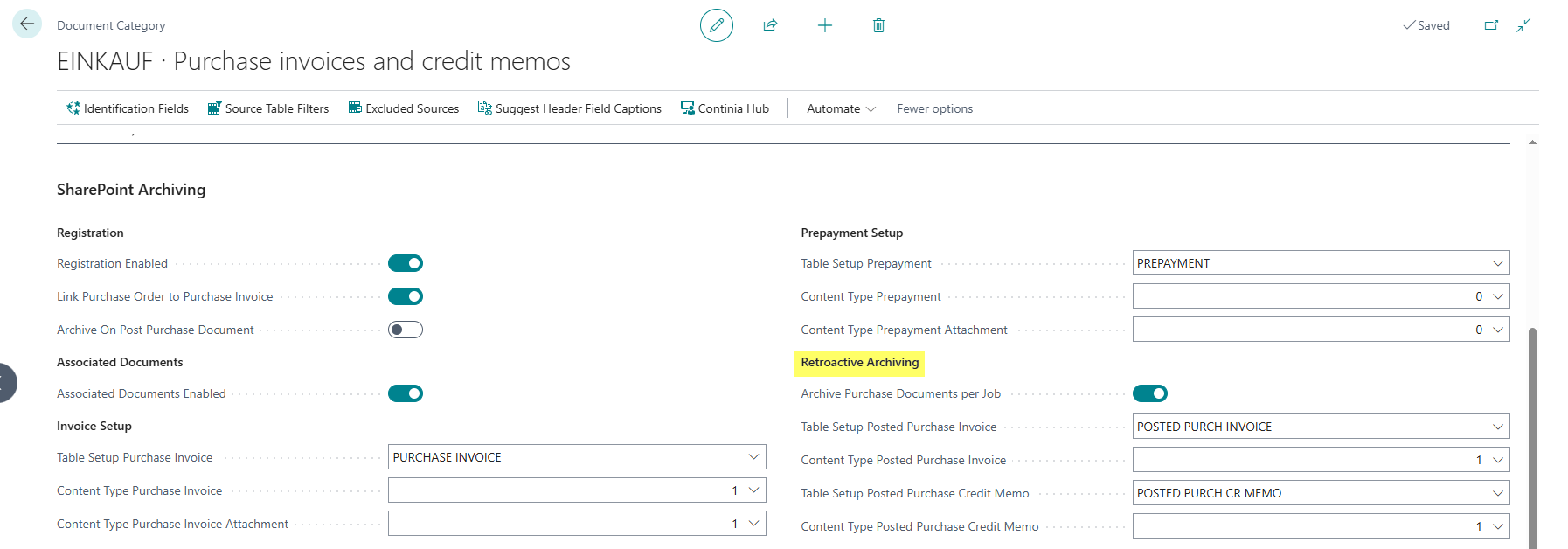
Purchase Documents
- Archive Purchase Documents per Job: Enables retroactive archiving for purchase documents of this category. When this field is enabled, registered purchase documents that have not yet been archived to SharePoint are processed by the job.
- Table Setup Posted Purchase Invoice: Specifies the SharePoint table setup for posted purchase invoices. This is used when the document has already been posted. For more information about the setup, see the DMS SharePoint Table Setup documentation.
- Content Type Posted Purchase Invoice: Specifies the SharePoint content type for posted purchase invoices.
- Table Setup Posted Purchase Credit Memo: Specifies the SharePoint table setup for posted purchase credit memos.
- Content Type Posted Purchase Credit Memo: Specifies the SharePoint content type for posted purchase credit memos.
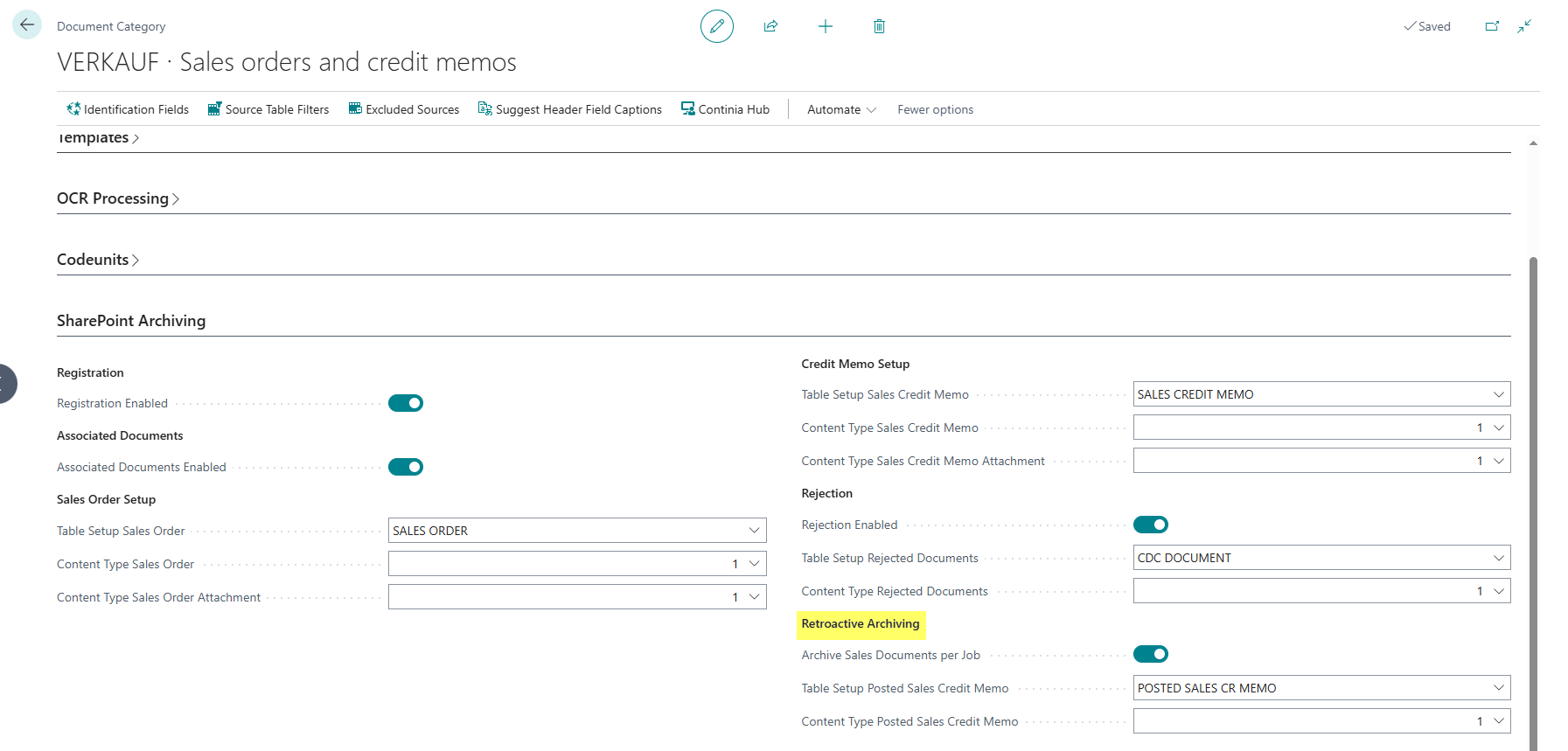
Sales Documents
- Archive Sales Documents per Job: Enables retroactive archiving for sales documents of this category. When this field is enabled, registered sales documents that have not yet been archived to SharePoint are processed by the job.
- Table Setup Posted Sales Credit Memo: Specifies the SharePoint table setup for posted sales credit memos. For more information about the setup, see the DMS SharePoint Table Setup documentation.
- Content Type Posted Sales Credit Memo: Specifies the SharePoint content type for posted sales credit memos.
Job Queue Entry
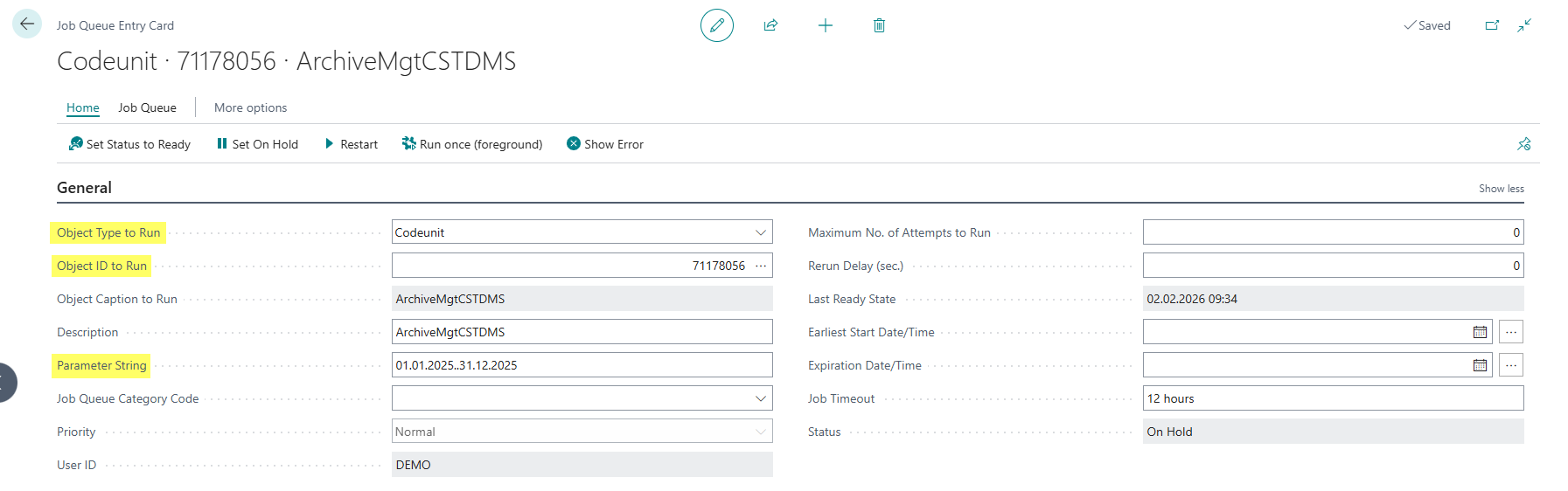
For regular or one-time execution, a job queue entry must be set up:
- Open the Job Queue Entries page and create a new entry.
- In the Object Type to Run field, select Codeunit.
- In the Object ID to Run field, select codeunit 71178056 ArchiveMgtCSTDMS.
- In the Parameter String field, enter a date filter for the import date, e.g.:
01.01.2025..31.12.2025for a specific period
Important: Parameter String
An empty Parameter String will cause an error. The date filter must always be specified to define the period to be searched.