Archiving Purchase Receipts
This function enables the automatic archiving of purchase receipt documents received via email in SharePoint. The incoming purchase receipts are captured in Document Capture, whereby the order numbers contained in the document must be captured in the document journal (header and/or line fields). During registration, the associated posted purchase receipts are identified in Business Central using these order numbers and the document is archived in SharePoint. The document is linked with all associated posted purchase receipts so that it can be found via each of these records.
New Document Category Required
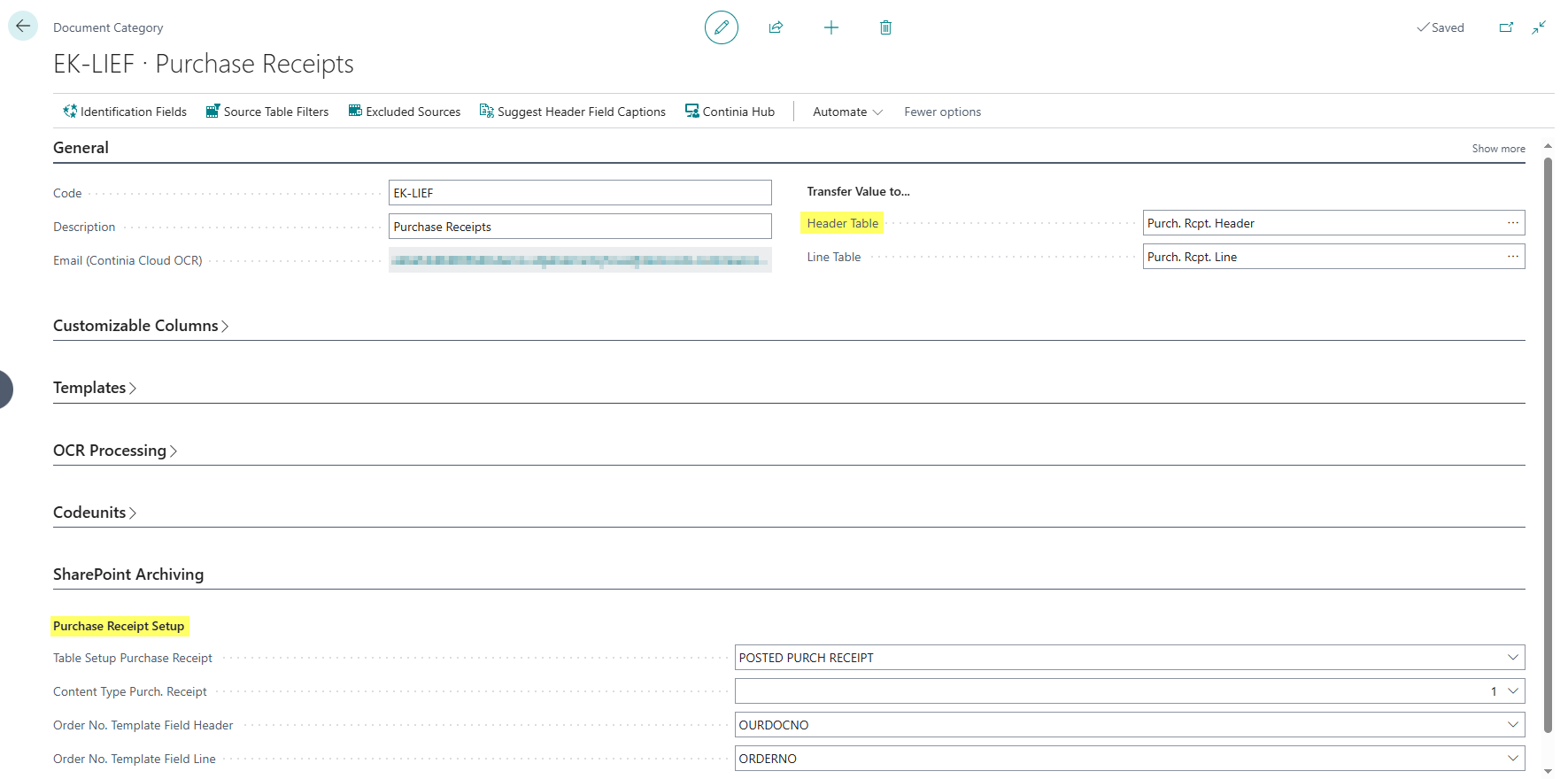
For archiving purchase receipts, a separate Document Capture document category must be set up that has the Posted Purchase Receipt (Table 120 Purch. Rcpt. Header) as the target table. Only after selecting this target table will the corresponding setup fields be displayed in the "SharePoint Archiving" tab.
Configuration
Document Capture Document Category
The settings are made in the Document Capture Document Category. For purchase receipts, a new document category with the following properties must be created:
Basic Settings:
- Header Table: Must be set to Posted Purchase Receipt (Table 120 Purch. Rcpt. Header). This is the prerequisite for displaying the SharePoint archiving fields. Archiving Settings (in the "SharePoint Archiving" tab):
- Table Setup Purchase Receipt: Specifies the SharePoint table setup for posted purchase receipts. For more information on the setup, see the documentation of the DMS SharePoint Table Setup.
- Content Type Purch. Receipt: Specifies the SharePoint content type used for archiving purchase receipt documents.
Order Number Mapping:
These fields define from which template fields the order numbers are extracted:
- Order No. Template Field Header: Specifies the Document Capture template field in the document header that contains the order number.
- Order No. Template Field Line: Specifies the Document Capture template field in the document lines that contains order numbers. This enables the capture of purchase receipts that cover multiple orders.
Document Capture Template
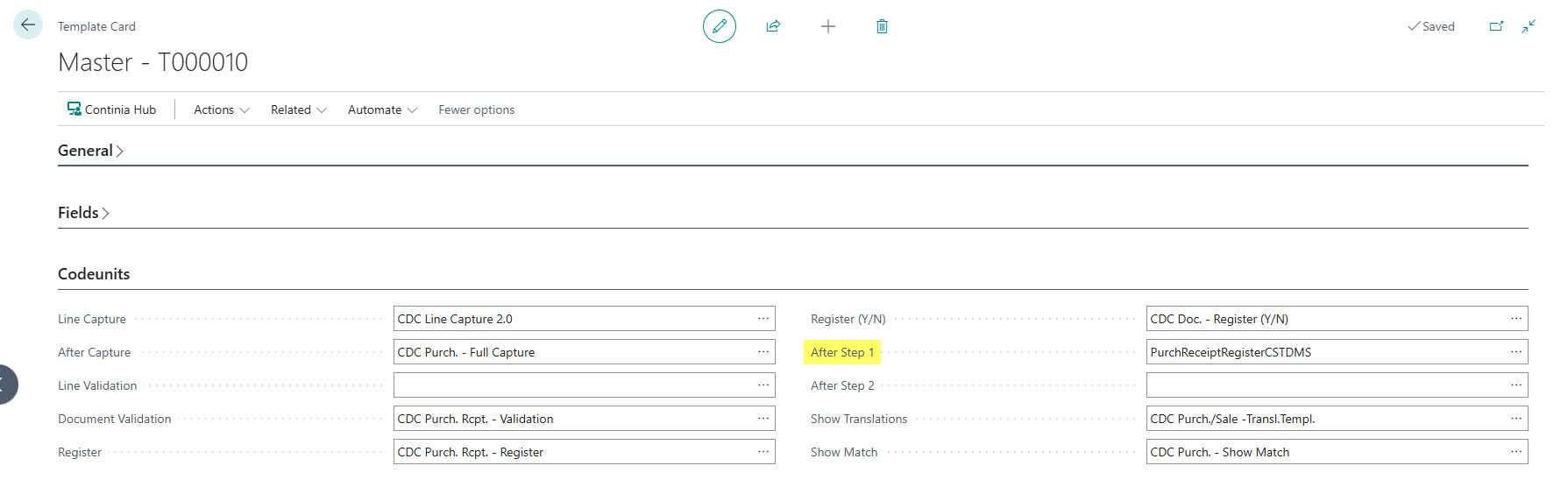
The settings are made in the Document Capture Master Template for purchase receipts:
- After Step 1: Must be set to Codeunit 71178060 PurchReceiptRegisterCSTDMS. This codeunit is automatically executed after completing the registration (Step 1) and controls the archiving of the purchase receipt.