E-Invoice viewer (TSO.EInvoice)
Use and benefits of the E-Invoice viewer
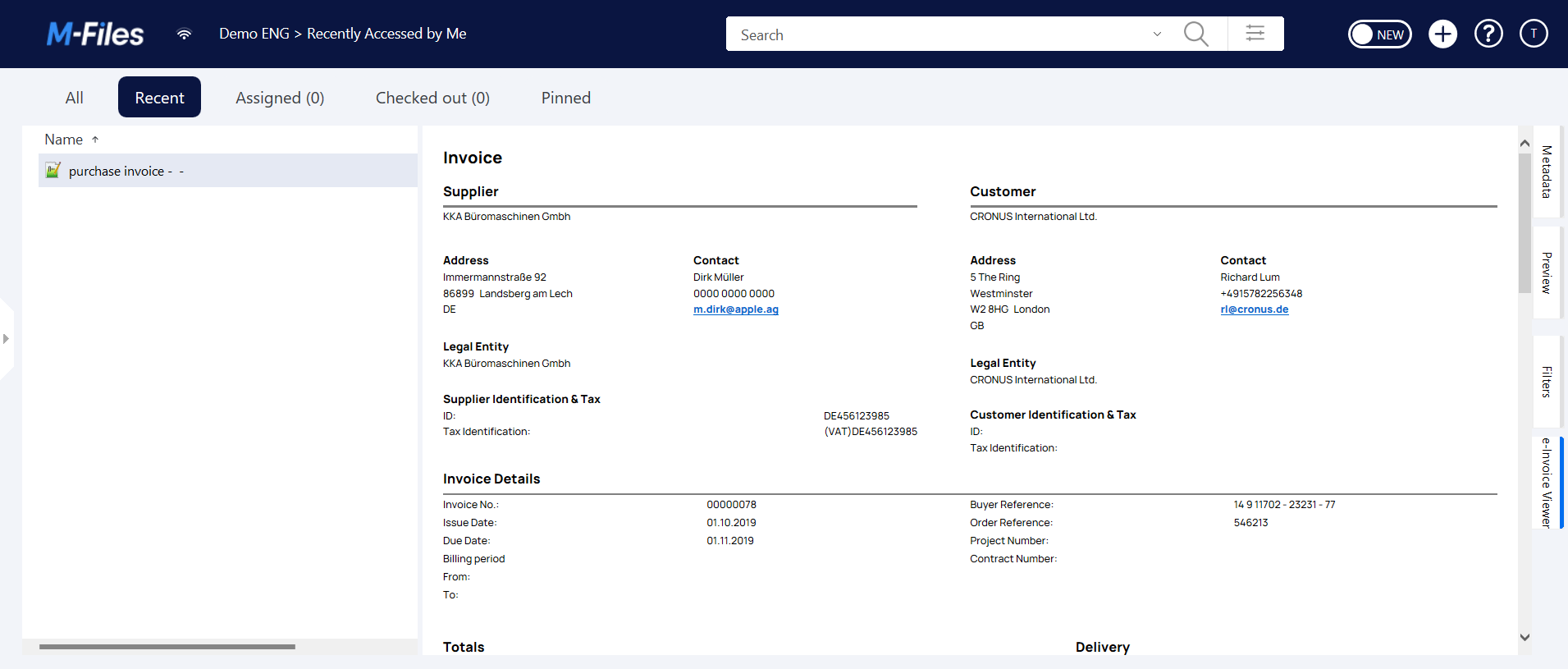
The E-Invoice viewer allows you to view electronic invoices in XML format quickly and easily in a familiar layout.
- User-friendly layout: The tool converts the structured XML data into a classic invoice format that clearly displays all essential information such as invoice amount, payment terms and details of the service.
- Easy integration: The viewer is compatible with common E-Invoice formats such as XRechnung and ZUGFeRD and thus adapts seamlessly to your existing workflows.
- Efficiency and time savings: No time-consuming manual preparation of XML data required - the tool automatically prepares the information and enables immediate viewing.
- Legal security: Fully complies with E-Invoicing requirements, allowing your business to be legally compliant and secure.
- Searchability and highlighting: Our E-Invoice viewer supports global search including highlighting. This allows you to find relevant information quickly.
Supported formats
| Format | Version | Supported |
|---|---|---|
| PEPPOL BIS Billing | 3.0 | Yes |
| UBL | 2.0 - 2.4 | Yes |
| OIOUBL | 2.02 | Yes |
| xRechnung | 1.0 - 3.02 | Yes¹ |
| ZUGFeRD | All | Yes |
¹ Please note that the validity of the xRechnung versions is specified by the "Koordinierungsstelle für IT Standards" (KoSIT). You can find the current valid versions under this link. TSO-DATA endeavors to display all valid XRechnung versions correctly as soon as possible.
Configuration instructions
To install the app, follow the guide listed under App installation in M-Files.
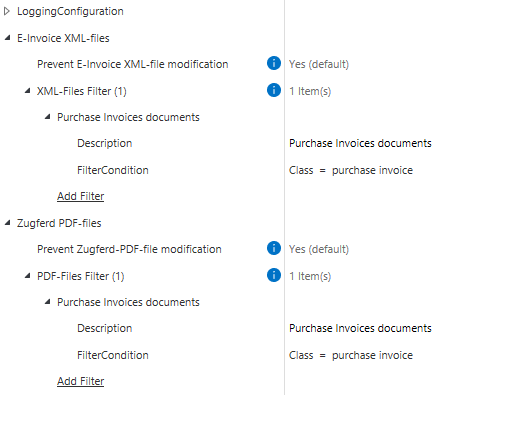
Our E-Invoice viewer is ready for use immediately after installation. The configuration in M-Files Admin offers the following configuration options.
- Logging Configuration
- XML-Files
- Prevent XML-file modification - specifies whether the editing of the content of XML files should be prevented. The editing options for metadata remain unaffected by this.
- XML-Files Filter – enables editing of the content of XML files to be applied only to certain classes. If no classes are defined, editing is blocked for all XML files.
- Prevent PDF-file modification – The same behavior as for XML files. This setting is relevant for electronic invoices in ZUGFeRD data format, for example.
System requirements
The latest version of M-Files is required for full functionality of the E-Invoice viewer.