App installation in M-Files
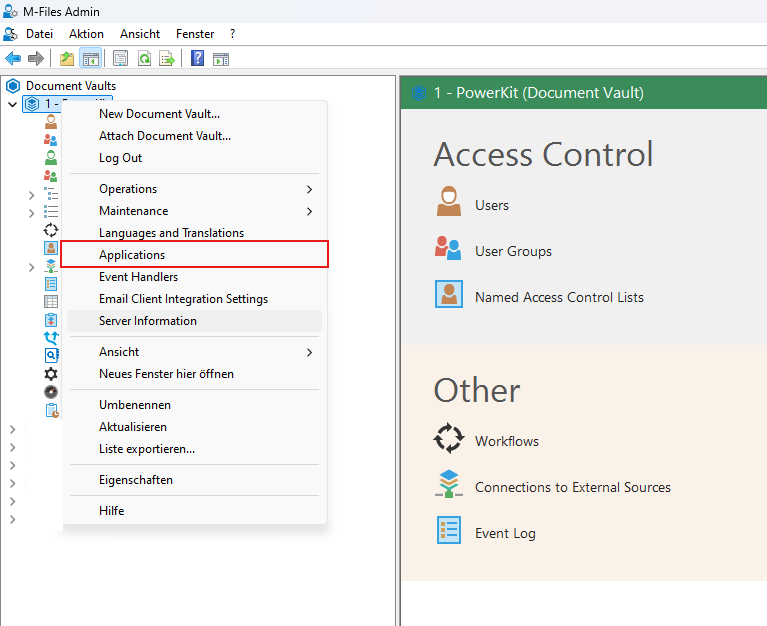
- Open M-Files Admin. Right-click on the document vaults for which you want to install an app
-
Select “Applications” in the context menu that opens
-
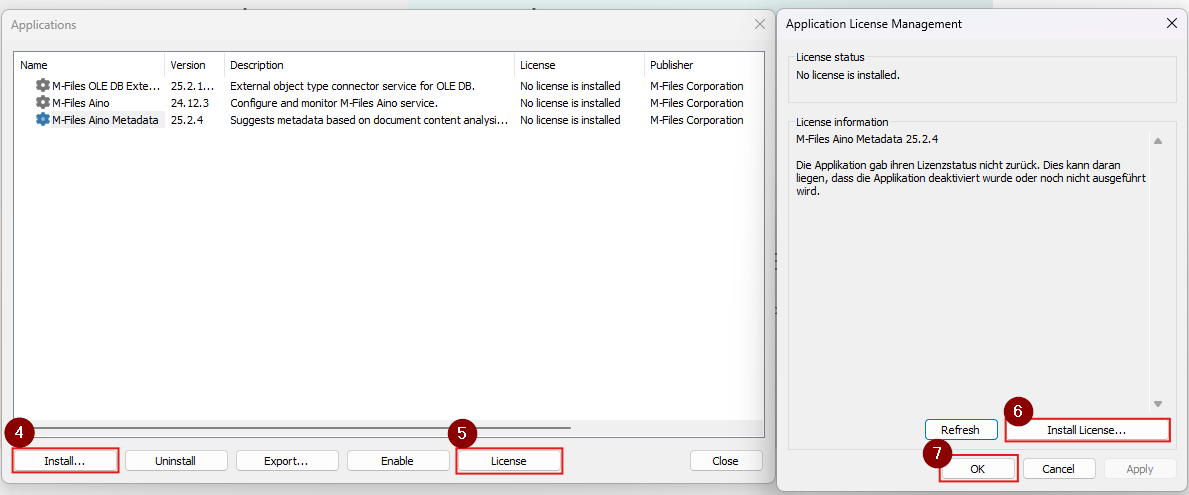
A list containing all installed apps opens.
- Select “Install”. Then navigate to the app file (.mfappx) provided to you, select it and confirm your selection.
- If the extension requires its own license, select “License”.
- Select “Install license” and navigate to the license file (.lic). Confirm the selection.
-
Select “OK”.