Transfer of Document Received Date
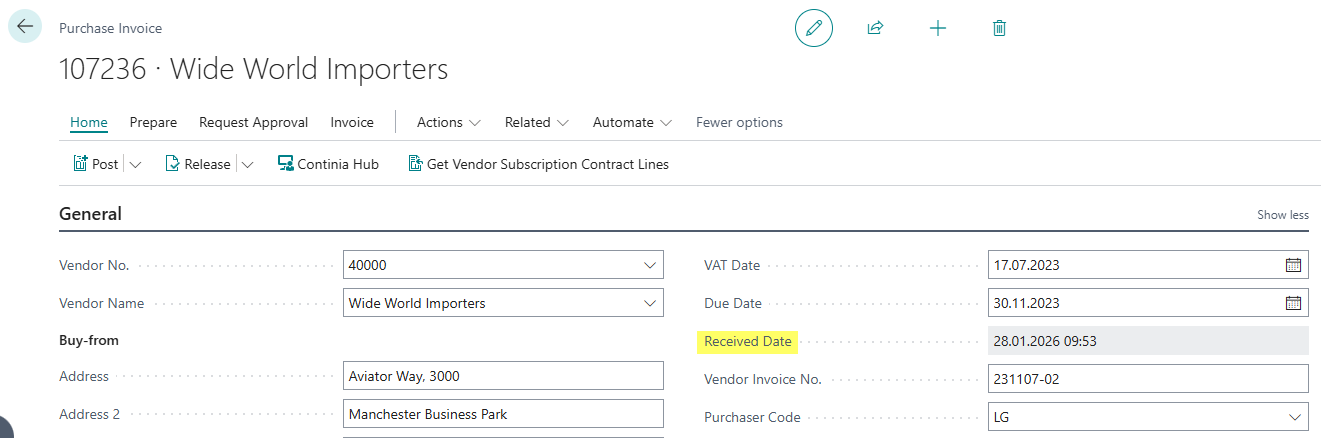
This feature enables the automatic transfer of the email received date from Document Capture to the associated Business Central purchase document. When a document is imported into Document Capture via email, the email received date is automatically transferred to the "Received Date" field of the purchase document during registration. This enables precise tracking of the actual receipt of documents.
The document received date is carried through all phases of the document process - from the unposted document to the posted document.
Configuration
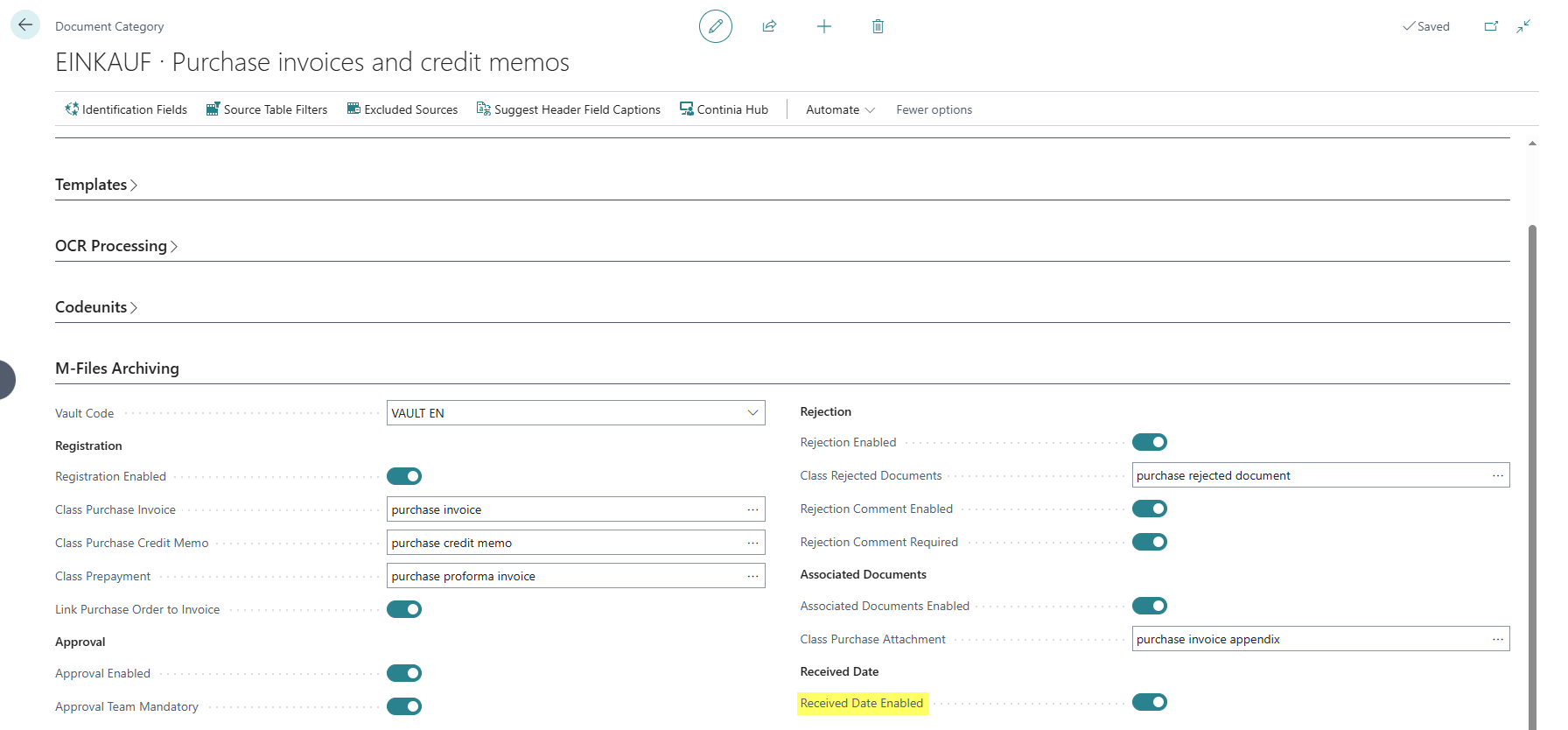
The settings are configured in the Document Capture Document Category:
- Received Date Enabled: Enables the automatic transfer of the email received date for this document category. When this field is enabled, the email received date is automatically transferred to the "Received Date" field of the Business Central document when registering a document received via email.
Extended Tables
The app automatically adds the "Received Date" field to the following Business Central tables:
| Table No. | Table Name | Caption |
|---|---|---|
| 38 | Purchase Header | Purchase Header (Invoice and Credit Memo) |
| 122 | Purch. Inv. Header | Posted Purchase Invoice Header |
| 124 | Purch. Cr. Memo Hdr. | Posted Purchase Credit Memo Header |
| 5109 | Purchase Header Archive | Purchase Header Archive |
| 120 | Purch. Rcpt. Header | Purchase Receipt Header |
| 6650 | Return Shipment Header | Return Shipment Header |
Prerequisites
Archiving of registered documents must be configured and enabled for purchase invoices.