Archiving Rejected Documents in the Document Capture Document Journal
This feature enables the automatic archiving of documents that are rejected in the Document Capture document journal. This ensures complete documentation of all incoming documents - including those that are not processed further.
Configuration
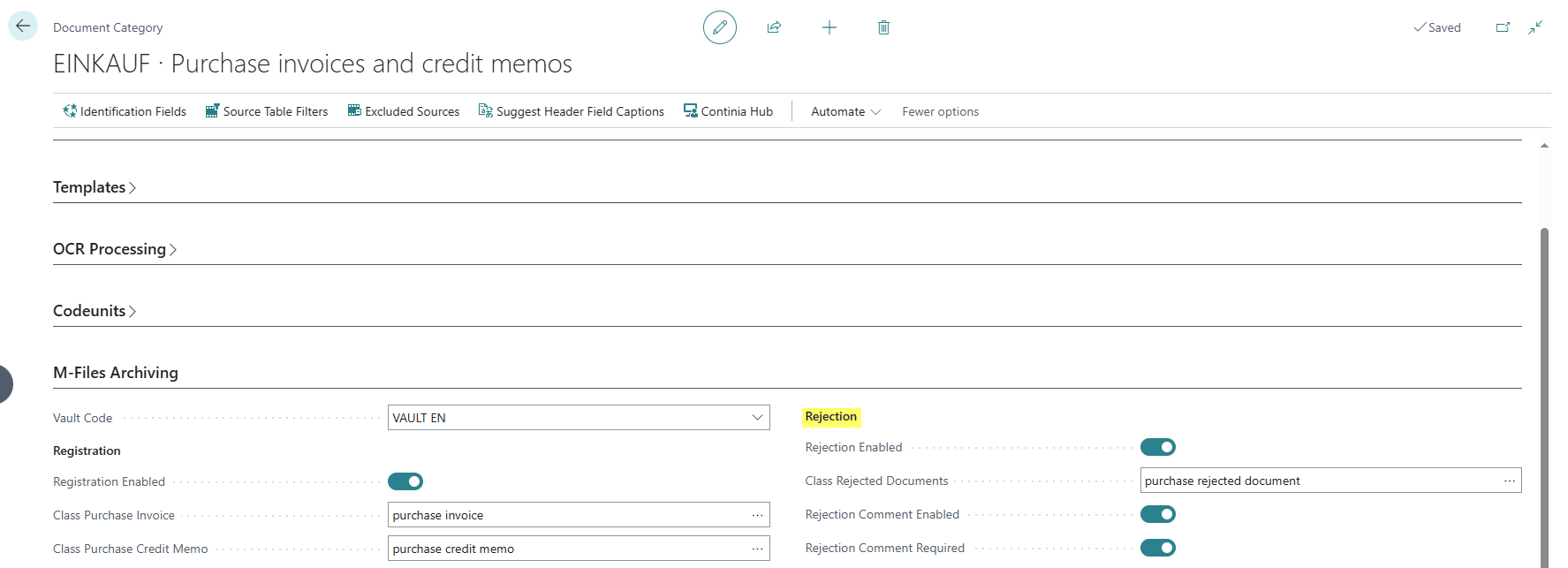
The settings are configured in the Document Capture Document Category.
- Rejection Enabled: Enables the automatic archiving of rejected documents in M-Files. When this field is enabled, all documents of this category are automatically archived when rejected.
- Class Rejected Documents: Specifies the M-Files document class that is used when archiving rejected documents. The document class determines which metadata fields are assigned to the document in M-Files.
- Rejection Comment Enabled: Allows users to provide a comment or reason when rejecting documents.
- Rejection Comment Required: Makes providing a rejection reason mandatory. When this field is enabled, a comment must be entered before a document can be rejected.