Archiving Associated Documents in the Document Capture Document Journal
This function enables the automatic archiving of additional documents that are assigned to a main document. Associated documents are supplementary files (e.g., delivery notes, attachments, confirmations) that are assigned to a main document in Document Capture. When the main document is registered, all assigned associated documents are automatically archived and stored in a separate M-Files document class. This ensures that all relevant documents for a business transaction are centrally available.
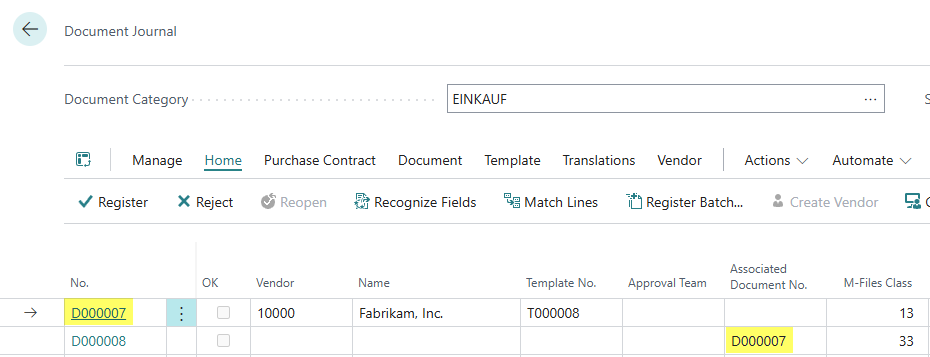
The linking is done via the "Associated Document No." field in Document Capture, where the number of the main document is entered. When the main document is registered, all linked associated documents are automatically archived in M-Files and also set to the status "Registered". If the main document is reset to "Open", this is also done automatically for all assigned associated documents.
When a document is registered, all attachments are also automatically archived. No distinction is made between manually stored attachments and attachments embedded within an XML file.
Configuration
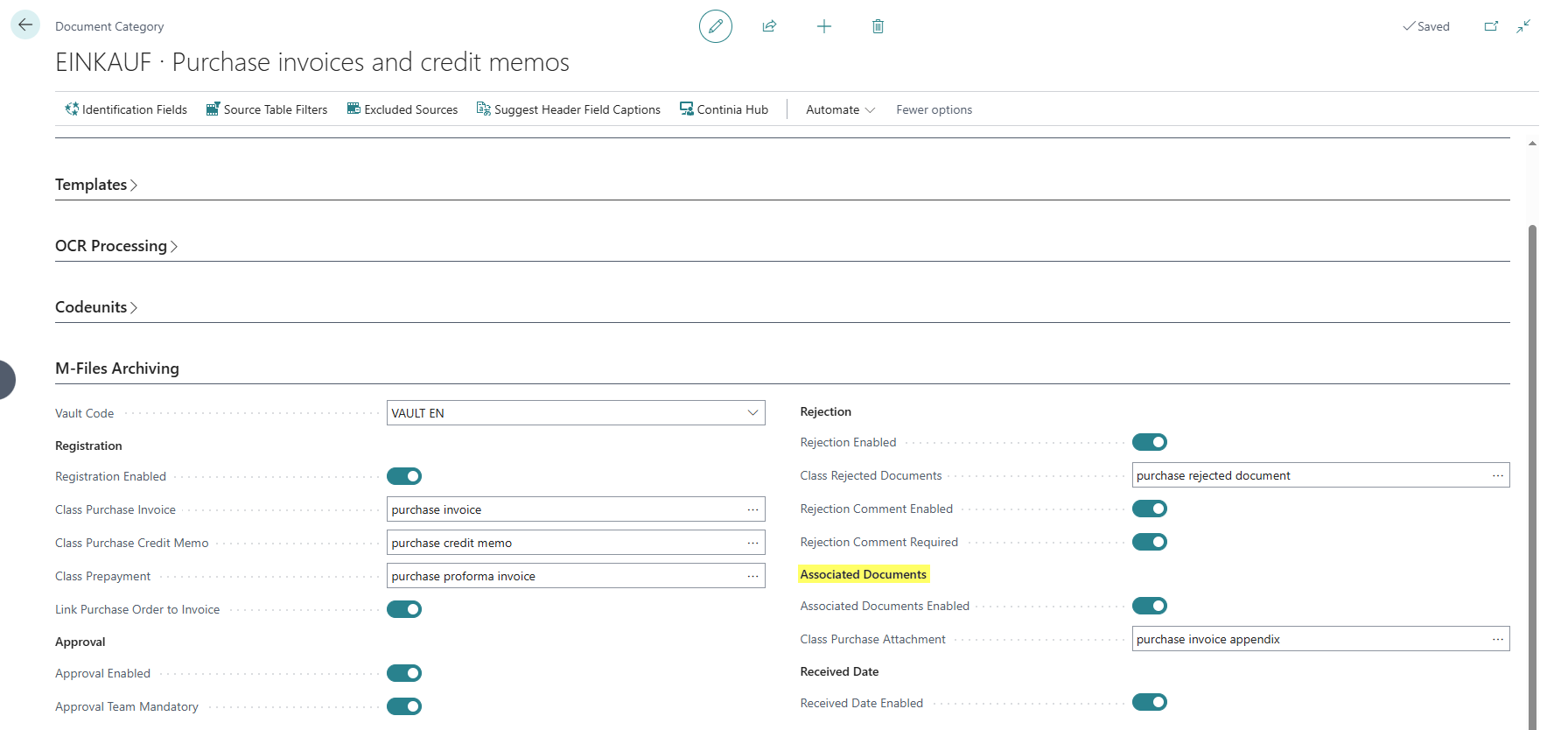
The settings are made in the Document Capture Document Category.
- Associated Documents Enabled: Activates the automatic archiving of associated documents for this document category. When this field is enabled, all linked associated documents are automatically archived when a main document is registered.
- Class Purchase Attachment: Specifies the M-Files document class used for associated documents.